QuietStrength Body: designing a body tracker without targets
- Type
- My own product
- When
- 2025–2026
- Team
- Just me, working with AI tools
- Platform
- iPhone
- Built with
- SwiftUI, Apple Health
- Disciplines
- UI, UX, writing, brand


The situation
It started in September 2025. I'd been made redundant, the job search felt endless, and every scroll through LinkedIn made my stomach tighten. I wanted something simple I could control without it controlling me, so I started taking three photos of myself each week.
I spent a while working out what I wanted from an app and trying the ones on the App Store. Every one I found wanted a monthly subscription, and I didn't want that. So I made my own. It started as a basic photo comparison app, because I wanted to use it straight away.
My part
I did most of it myself, working with AI tools: the product thinking, interface design, writing, brand and the iPhone build. Other people helped by answering my questions, and I learned a lot from trying other apps.
What I did
1. Built it around how I'd actually use it
The rest came later, including the sleep section with its sounds. I shaped each feature around how I'd want to use it, then asked friends and family what they'd want it to do. It's a very personal app, so I had firm views on how it should work, and I put my main project on hold to get it right.
Looking back at the photos turned out to be as much about how I was feeling as about my body. I noticed my posture, and how my face looked, not just whether I'd lost any fat. That shaped the tone of the whole app.

2. Cut it back to one clear idea
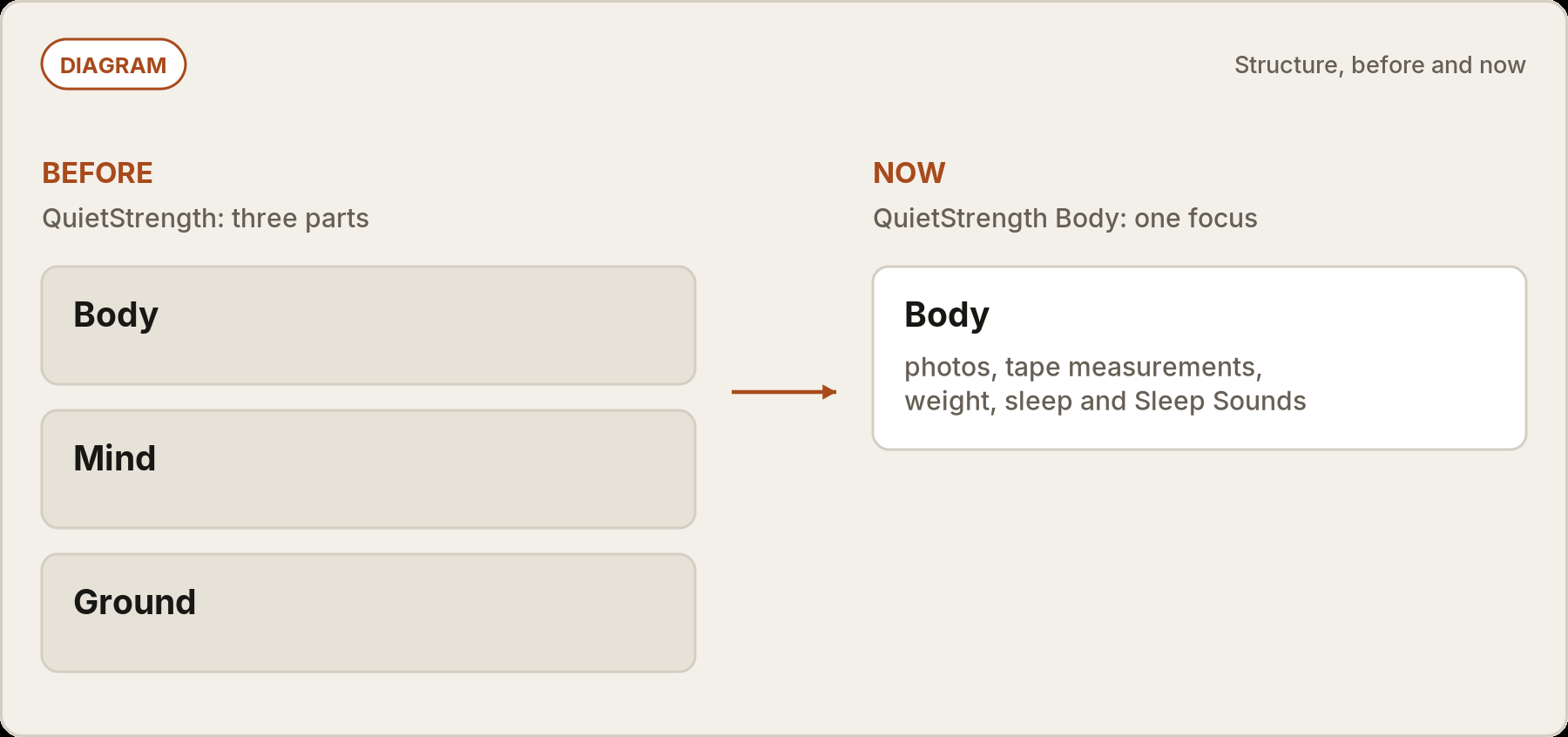
Along the way the app grew into three parts: Body, Mind and Ground. That made it too broad, without a clear idea of who it was for. So I cut it back to Body and rebuilt it as QuietStrength Body.
3. Designed out the pressure
Many tracking apps push you towards a target number. I left all of that out. There are no targets, streaks or guilt, and no BMI anywhere. Photos are shown as silhouettes by default, with a setting to show the real photos. One switch hides weight and body fat numbers without deleting anything, and the app is honest about what weight on its own can't tell you.


4. Kept it simple to own
It's pay once, with no subscription and nothing to buy inside the app. Apple's privacy label for the app is "Data Not Collected". Units cover kg, lb, stone and pounds, cm and inches. Sleep Sounds (white, pink and brown noise) are generated on the phone, so they work fully offline. I added them because hotel rooms were noisy and the white noise apps I tried came with subscriptions and adverts.


Where it is now
QuietStrength Body will be coming to the iPhone App Store in November.


One thing I'd do differently
I'd plan for updates from the start. The app will keep growing, and as functionality is added, existing users will get those updates free.